springboot-多环境运行+打包
沙福林 2023-05-07 14:40:55
springboot
maven
打包
运行
SpringBoot应用多环境打包部署,避免修改配置文件,可以通过命令行传参更改一些配置,虽然jvm/应用应用参数也能改,但是maven能一步到位不方便么,开整
# 参考文档
- SpringBoot 多环境设置 active: @profileActive@ (opens new window)
- SpringBoot的yml多环境配置3种方法 (opens new window)
# 1. 准备一个springboot工程
# 2. 配置pom.xml
application.yml识别
@符号,两种方式任选其一即可,本文采用方式1 关键配置
<build>
    <plugins>
        <!-- application.yml识别@符号方式1:添加plugin -->
        <plugin>
            <groupId>org.apache.maven.plugins</groupId>
            <artifactId>maven-resources-plugin</artifactId>
            <configuration>
                <delimiters>@</delimiters>
                <useDefaultDelimiters>false</useDefaultDelimiters>
            </configuration>
        </plugin>
    </plugins>
    <!-- application.yml识别@符号方式2:添加resource -->
    <!--<resources>
        <resource>
            <directory>src/main/resources</directory>
            <filtering>true</filtering>
            <includes>
                <include>**/*.*</include>
            </includes>
        </resource>
    </resources>-->
</build>
<!-- 多环境打包-->
<profiles>
    <profile>
        <id>dev</id>
        <!-- 默认值 -->
        <activation>
            <activeByDefault>true</activeByDefault>
        </activation>
        <properties>
            <profileActive>dev</profileActive>
        </properties>
    </profile>
    <profile>
        <id>test</id>
        <properties>
            <profileActive>test</profileActive>
        </properties>
    </profile>
    <profile>
        <id>pro</id>
        <properties>
            <profileActive>pro</profileActive>
        </properties>
    </profile>
</profiles>
1
2
3
4
5
6
7
8
9
10
11
12
13
14
15
16
17
18
19
20
21
22
23
24
25
26
27
28
29
30
31
32
33
34
35
36
37
38
39
40
41
42
43
44
45
46
47
48
2
3
4
5
6
7
8
9
10
11
12
13
14
15
16
17
18
19
20
21
22
23
24
25
26
27
28
29
30
31
32
33
34
35
36
37
38
39
40
41
42
43
44
45
46
47
48
# 3. 配置springboot配置文件
默认配置文件从maven属性变量里取值,语法为
@属性名@, 此处profileActive就是在maven提前定义好的属性
- application.yml
spring:
  profiles:
    active: @profileActive@
1
2
3
2
3
细节配置根据项目实际来,这里仅配置端口号,说明示例即可
- application-dev.yml
server:
  port: 38080
1
2
2
- application-test.yml
server:
  port: 28080
1
2
2
- application-pro.yml
server:
  port: 18080
1
2
2
目录结构如下
── pom.xml
    ├── src
    │   ├── main
    │   │   ├── java
    │   │   │   └── top
    │   │   │       └── zlhy7
    │   │   │           ├── Application.java
    │   │   │           └── controller
    │   │   │               └── TestController.java
    │   │   └── resources
    │   │       ├── application-dev.yml #开发环境
    │   │       ├── application-pro.yml #生产环境
    │   │       ├── application-test.yml #测试环境
    │   │       ├── application.yml #默认环境
    │   │       ├── static
    │   │       └── templates
1
2
3
4
5
6
7
8
9
10
11
12
13
14
15
16
2
3
4
5
6
7
8
9
10
11
12
13
14
15
16
# 4. 项目打包/运行
# 4.1 勾选idea-maven环境选项
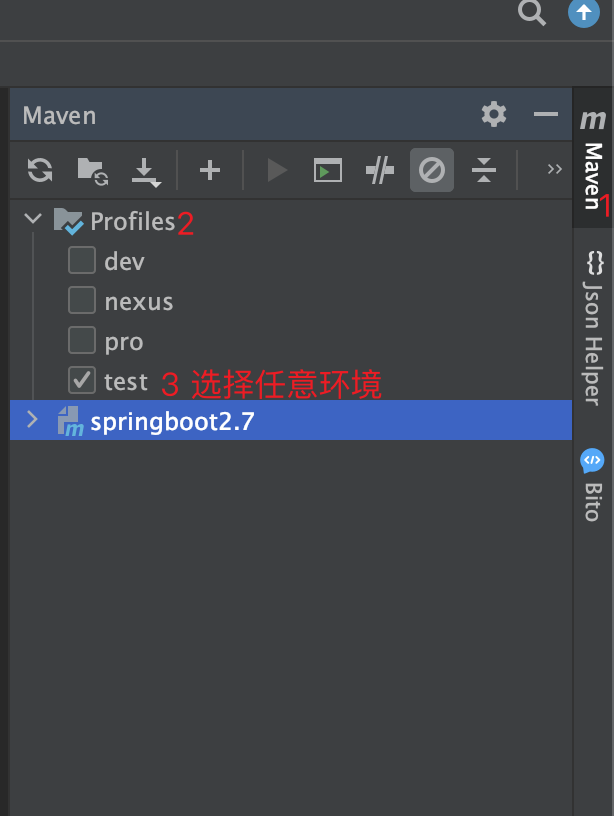
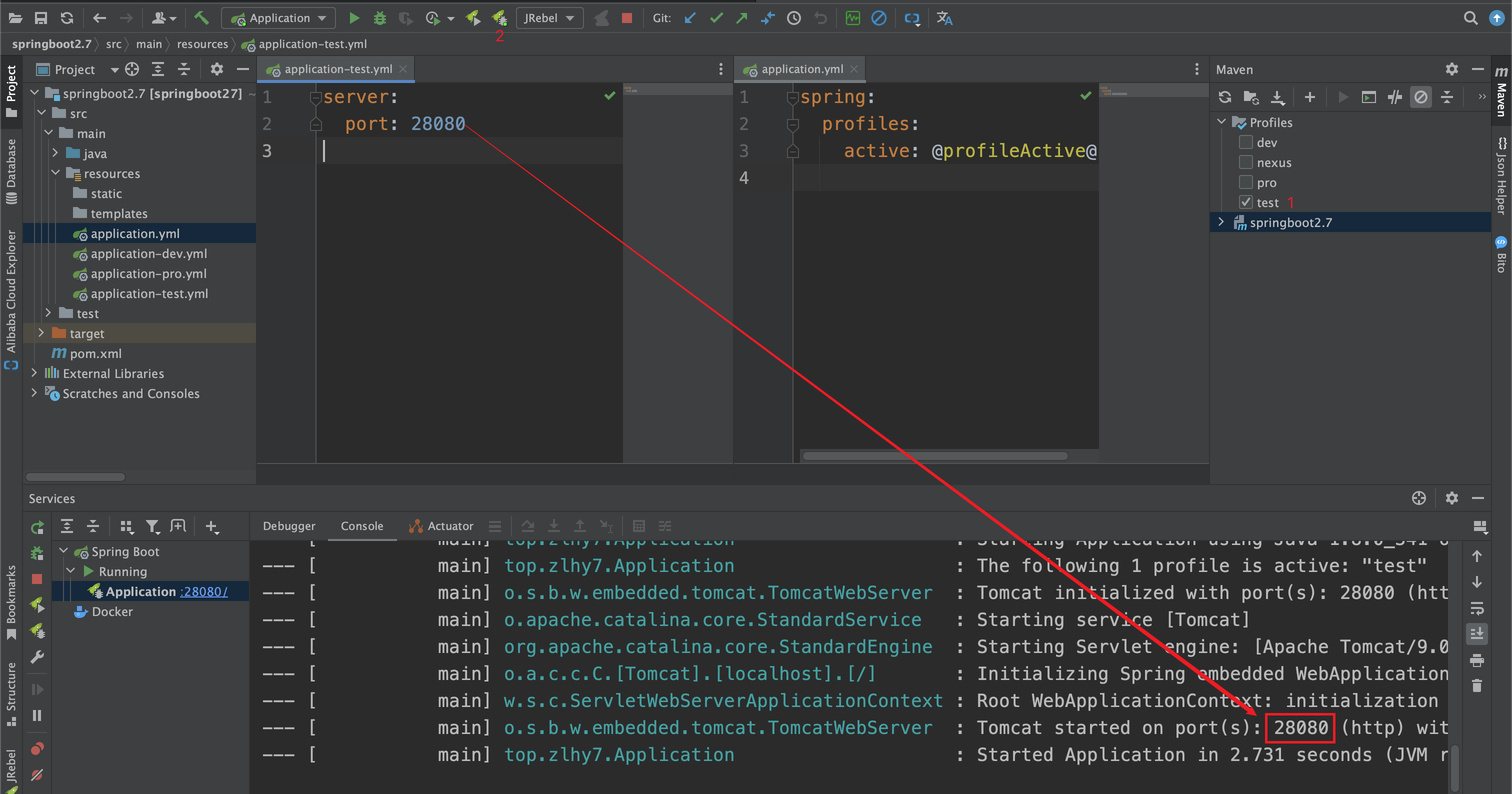
在左侧maven-profile选项中选择对应的环境,然后进行项目的启动/打包
# 4.2 项目运行
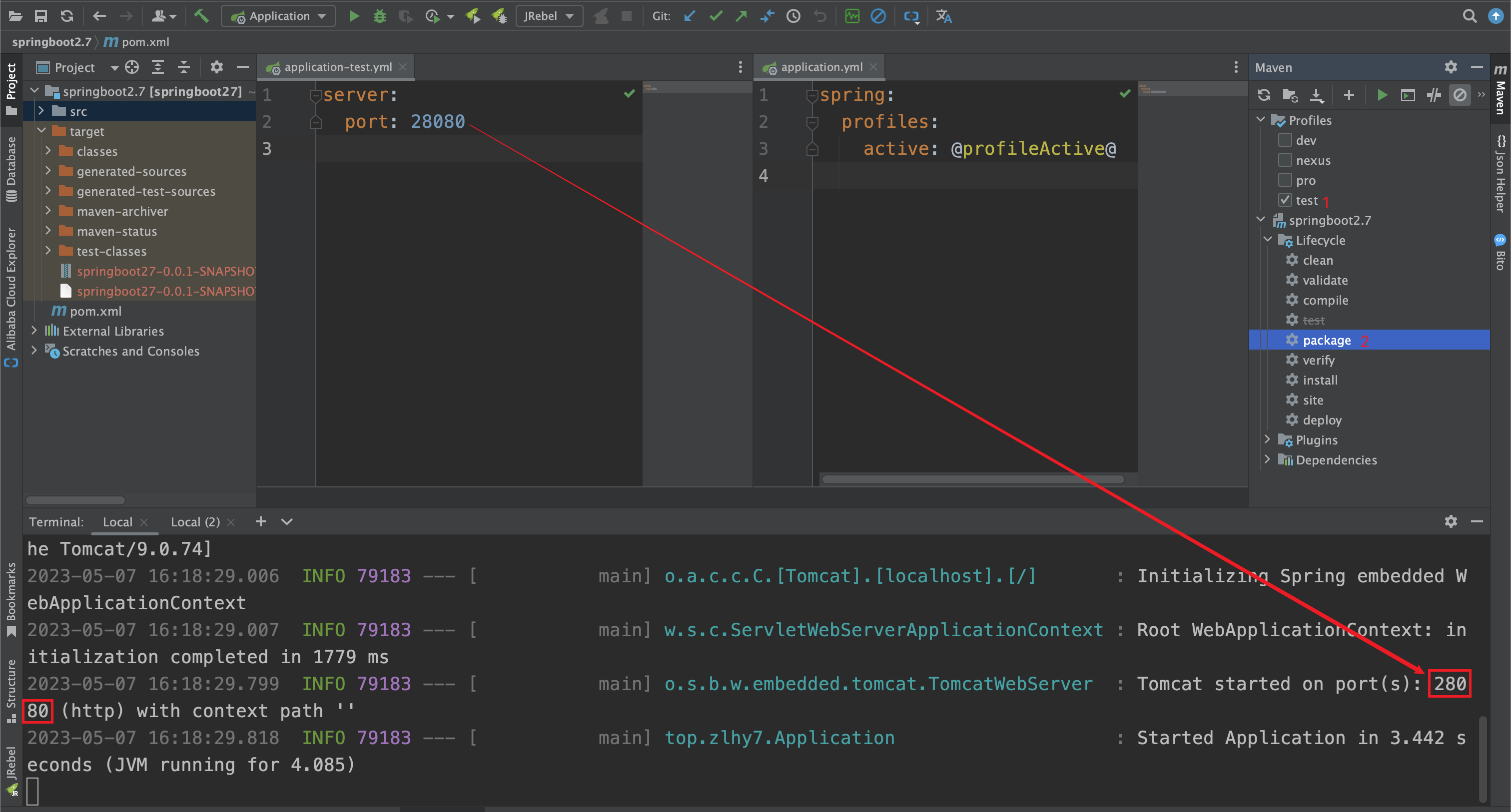
# 4.2 打包(idea-maven方式)
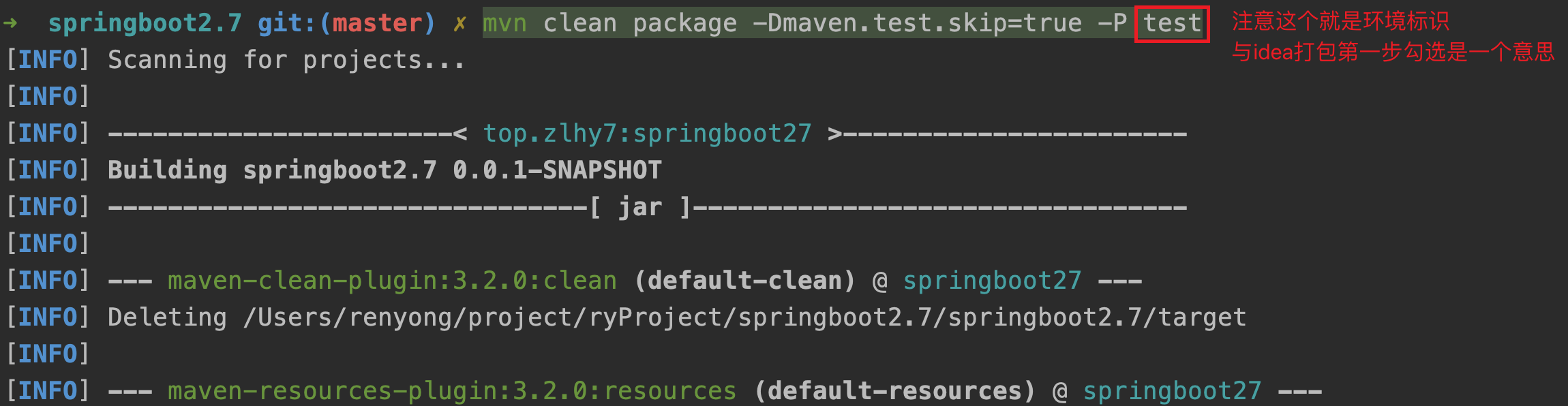
# 4.3 打包(命令行方式)
-P后面跟的test就是环境标识,即maven里定义的
mvn clean package -Dmaven.test.skip=true -P test
1
本质上就相当于把
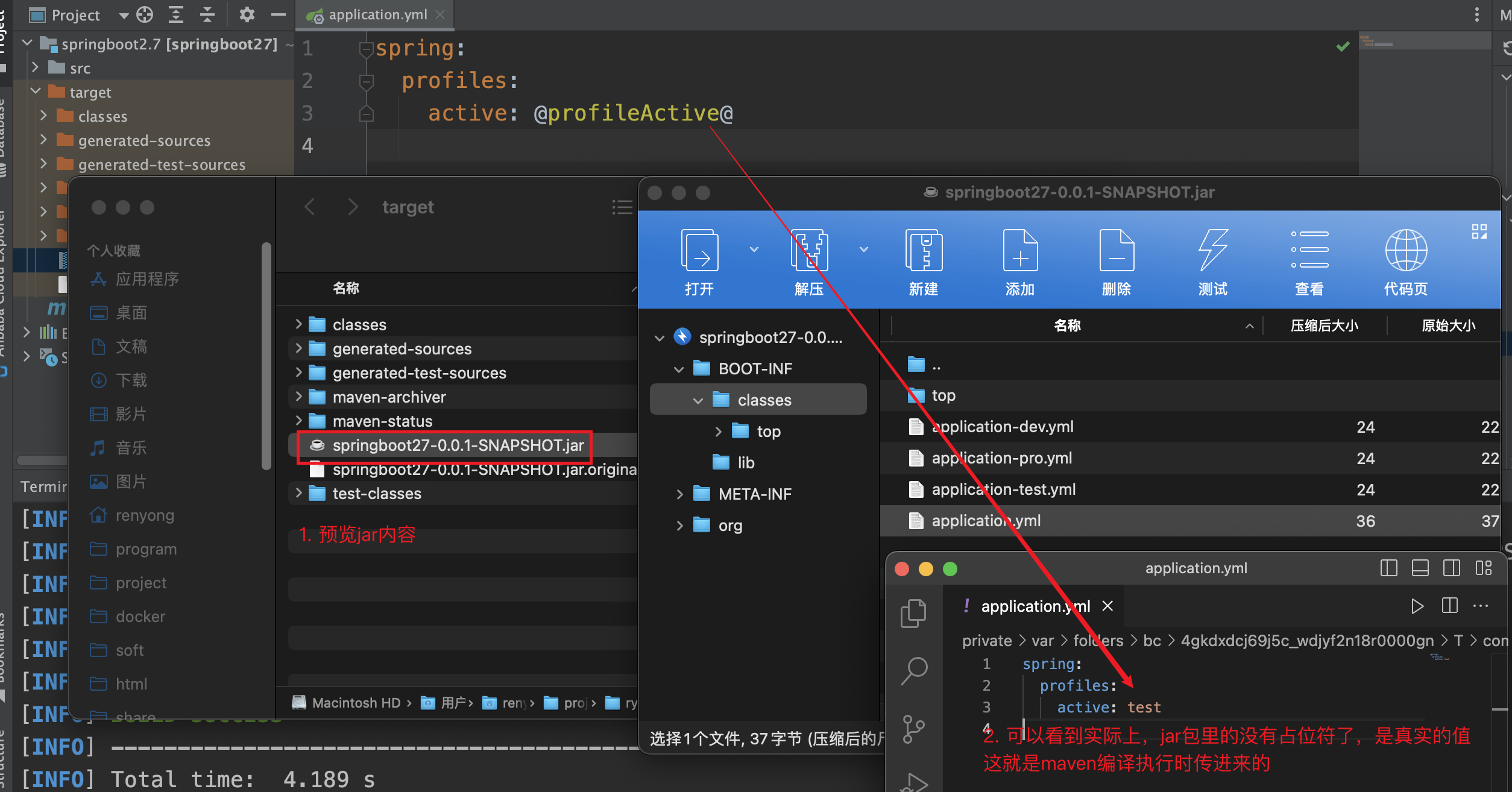
@属性名@在打包过程中渲染为真实的值,jar包里预览可见,已经没有占位符@xxx@了